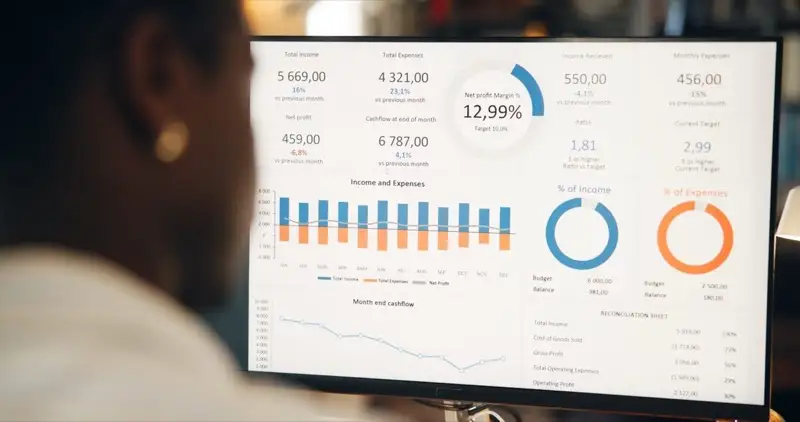
If you have a website but no analytics, you are flying blind. Google Analytics 4 (GA4) is a free tool from Google that shows you how many people visit your site, where they come from, what pages they view, and whether they are taking the actions you want. For Ghana businesses investing in their online presence, analytics transforms guesswork into data-driven decisions — helping you understand what is working, what is not, and where to focus your efforts.
Why Analytics Matters for Your Business
Without analytics, you have no way of knowing whether your website is actually achieving its goals. You might be spending money on digital marketing campaigns that drive traffic to pages nobody reads, or you might have a high-performing blog post that could be generating leads if only you added a call to action. GA4 gives you the visibility to make informed decisions about your website content, marketing spend, and overall digital strategy.
It is also essential for measuring return on investment. When you can trace a sale or enquiry back to a specific marketing channel, you know exactly where your advertising budget is delivering results.
How to Set Up GA4
- Go to analytics.google.com and sign in with your Google account.
- Click "Start measuring" and create a new property with your website name.
- Add your website URL and select your industry category and time zone (set this to "Africa/Accra" for Ghana).
- Choose "Web" as your platform and enter your website URL.
- Copy the Measurement ID (which starts with "G-") or the Global Site Tag code snippet.
- Paste the code snippet into the
<head>section of every page on your website. If you use WordPress, install the "Site Kit by Google" plugin instead — it handles the integration automatically. See our full WordPress development guide for more plugin recommendations and setup tips.
After installation, GA4 begins collecting data immediately, though it may take 24 to 48 hours for your first reports to populate fully.
The 5 Reports That Matter Most
1. Realtime Report
Shows who is on your site right now — how many active users, which pages they are viewing, and where they came from. This is especially useful for verifying that a new marketing campaign is driving traffic immediately after launch. If you have just shared a promotion on social media or sent out an email newsletter, the Realtime report confirms whether people are responding.
2. Acquisition Report
Tells you where your visitors come from — Google search (organic), social media, direct visits (typing your URL), paid advertisements, or referrals from other websites. This helps you understand which marketing channels deliver the most visitors and, critically, which ones deliver visitors who actually engage with your content. A channel that sends thousands of visitors who immediately leave is less valuable than one that sends hundreds who explore multiple pages.
3. Engagement Report
Shows which pages get the most views, how long people spend on your site, and your bounce rate (the percentage of people who leave after viewing just one page). Low engagement on key pages — such as your services page or pricing page — is a strong signal that you need better content, improved design, or a clearer call to action. Check our website checklist for what makes an effective website that keeps visitors engaged.
4. Demographics Report
Reveals the age, gender, location, and interests of your visitors. For Ghana businesses, this confirms whether you are reaching your target market or attracting the wrong audience. If your business targets professionals in Accra but your analytics show most visitors are teenagers from outside Ghana, your marketing strategy needs adjustment.
5. Conversions Report
Tracks specific actions that matter to your business — form submissions, phone call clicks, downloads, purchases, or newsletter sign-ups. You need to set up "events" in GA4 to track these actions, and then mark the important ones as conversions. This is the most valuable report for measuring ROI because it connects your website activity directly to business outcomes.
Setting up conversion tracking requires defining the specific user actions you want to measure. For an e-commerce site, the primary conversion might be a completed purchase. For a service business, it might be a contact form submission or a phone call button click.
Tips for Ghana Businesses
- Set your time zone correctly: Use "Africa/Accra" (GMT+0) so that reports match your business hours and you can accurately see when your traffic peaks occur.
- Filter out your own visits: Exclude your IP address and your team's IP addresses in the admin settings to avoid inflating your numbers with internal traffic.
- Set up monthly email reports: GA4 can send automated summaries to your inbox so you review your data regularly without having to log in.
- Connect Google Search Console: This integration shows which search keywords bring people to your site, which pages appear in search results, and your average ranking positions. Also learn how your domain name affects SEO to maximise your search visibility.
- Track mobile vs desktop: In Ghana, mobile internet usage is dominant. GA4's device reports show you what percentage of visitors use phones versus computers, helping you prioritise a mobile-friendly website design.
Common Mistakes to Avoid
The most common analytics mistake is installing the tracking code and then never looking at the data. Schedule a recurring time — even just 30 minutes per month — to review your key metrics. Another frequent error is tracking vanity metrics like total page views without context. A page with 10,000 views but a 95% bounce rate is less effective than a page with 500 views and a 5% conversion rate.
Finally, ensure your tracking code is installed on every page of your site, not just the homepage. Missing pages create blind spots in your data that lead to incomplete or misleading conclusions.
Need help setting up analytics or understanding your data? Reach out to Faciotech — we offer analytics setup, custom dashboard creation, and monthly reporting services to help you turn data into actionable insights.