The Growing Ransomware Threat in Africa
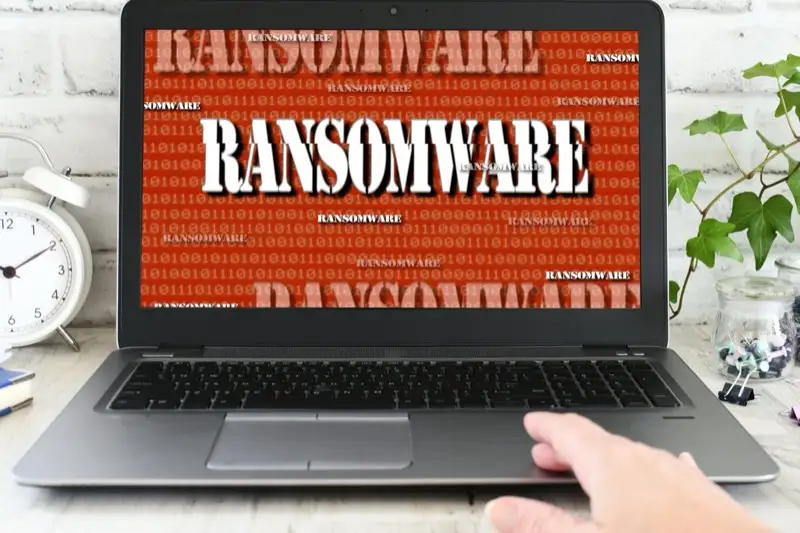
Ransomware is no longer a problem reserved for large corporations in Europe and North America. In 2025 alone, Africa experienced a 37% increase in ransomware attacks compared to the previous year, with West Africa emerging as a primary target. Ghana, with its rapidly growing digital economy, increasing internet penetration, and expanding financial technology sector, presents an attractive target for cybercriminals seeking to exploit businesses that may lack robust security infrastructure.
The mechanics are straightforward but devastating: attackers encrypt your business data — customer records, financial files, operational databases, emails, everything — and demand payment (usually in cryptocurrency) for the decryption key. Without the key, your data is permanently inaccessible. Without your data, your business cannot operate. The ransom demands for African businesses typically range from $5,000 to $500,000 depending on company size, though some attacks on larger organisations have demanded millions.
This guide provides practical, actionable steps that Ghana businesses of all sizes can implement to protect themselves from ransomware — and a clear plan for what to do if an attack does occur.
How Ransomware Gets Into Your Business
Understanding attack vectors is the first step to prevention. Ransomware does not magically appear on your systems — it is delivered through specific channels that you can monitor and secure.
Phishing Emails
The most common delivery method. An employee receives an email that appears to come from a trusted source — a bank, a supplier, a government agency like the GRA, or even a colleague. The email contains either a malicious attachment (a PDF, Word document, or ZIP file) or a link to a compromised website. One click, and the ransomware begins encrypting files. In Ghana, attackers increasingly craft phishing emails that reference local institutions and use local business language to appear legitimate.
Compromised Remote Desktop Protocol (RDP)
Many businesses use Remote Desktop Protocol to allow staff to access office computers remotely. If RDP is exposed to the internet with weak passwords — which is alarmingly common — attackers use automated tools to brute-force their way in. Once inside, they deploy ransomware across your entire network. The shift to remote and hybrid work in Ghana since 2020 has dramatically increased RDP exposure.
Unpatched Software Vulnerabilities
Outdated software — old versions of Windows, unpatched web applications, legacy accounting software — contains known security flaws that attackers actively exploit. When a vulnerability is publicly disclosed, cybercriminals race to exploit organisations that have not yet applied the patch. In Ghana, where software licensing costs lead some businesses to run outdated or pirated software, this vector is particularly dangerous.
Malicious Websites and Downloads
Employees visiting compromised websites or downloading software from unofficial sources can unknowingly install ransomware. This includes pirated software, cracked applications, and files from unofficial download sites — practices that remain widespread in some Ghana business environments.
Building Your Ransomware Defence
Effective ransomware protection is not a single product or tool — it is a layered defence strategy that combines technology, processes, and human awareness. Here are the essential layers every Ghana business should implement.
1. Implement a Robust Backup Strategy
Backups are your ultimate safety net against ransomware. If your data is properly backed up, you can restore your systems without paying the ransom. However, the backup strategy must be specifically designed to survive a ransomware attack.
- Follow the 3-2-1 rule: Maintain 3 copies of your data, on 2 different types of media, with 1 copy stored off-site (or in the cloud). This ensures that even if ransomware encrypts your primary systems and your local backup, you have an untouched copy elsewhere.
- Use air-gapped or immutable backups: At least one backup should be disconnected from your network (air-gapped) or stored on immutable storage that cannot be modified or deleted, even by an administrator. Modern ransomware specifically targets connected backup drives and network shares.
- Test your restores regularly: A backup that you have never tested is not a backup — it is a hope. Schedule monthly restore tests to confirm that your backups are complete, uncorrupted, and can be restored within your acceptable recovery time.
- Automate the process: Manual backups get forgotten. Use automated backup solutions that run on a schedule. For websites and web applications, choose a hosting provider that includes automated daily backups as part of the service.
2. Keep All Software Updated and Patched
Software updates are not just about new features — they close security vulnerabilities that attackers exploit. Treat patching as a critical business process, not an inconvenience.
- Enable automatic updates for operating systems (Windows, macOS, Linux) on all business computers.
- Update web browsers — Chrome, Firefox, and Edge release security patches frequently.
- Patch business applications — accounting software, CRM systems, WordPress installations, and any web-facing applications.
- Replace end-of-life software — if you are running Windows 7, Office 2010, or other unsupported software, you are running with known, unpatched vulnerabilities. Upgrade or replace these systems.
- Update server software — web servers, database servers, and server operating systems need regular patching. If your website runs on a server you manage, establish a monthly patching schedule.
3. Train Your Employees
Technology alone cannot stop ransomware if employees click on phishing links. Human awareness training is one of the most cost-effective security investments you can make.
- Conduct regular phishing awareness training: Teach staff to recognise suspicious emails — unexpected attachments, urgent requests for action, mismatched sender addresses, and poor grammar. Use real examples relevant to Ghana businesses.
- Establish verification procedures: Before clicking any link in an email requesting action (especially financial actions), employees should verify the request through a separate communication channel — call the sender directly, do not reply to the email.
- Create a reporting culture: Make it easy and consequence-free for employees to report suspicious emails. If staff fear punishment for clicking a bad link, they will hide incidents instead of reporting them promptly.
- Run simulated phishing tests: Send controlled phishing emails to test employee awareness. Staff who click the test links receive additional training. This keeps awareness sharp over time.
4. Deploy Email Security
Since phishing is the primary ransomware delivery method, your email system needs robust protection.
- Implement email filtering: Use email security solutions that scan incoming messages for malware, suspicious links, and phishing indicators. Services like Microsoft Defender for Office 365, Proofpoint, or Barracuda filter the majority of threats before they reach employee inboxes.
- Block dangerous attachments: Configure your email system to block executable files (.exe, .bat, .ps1, .vbs) and archive formats commonly used to deliver malware.
- Enable SPF, DKIM, and DMARC: These email authentication protocols prevent attackers from spoofing your domain to send phishing emails that appear to come from your organisation. They also protect your business reputation.
5. Secure Your Network
- Use a business-grade firewall: Consumer-grade routers lack the security features needed for business networks. Invest in a proper firewall with intrusion detection and prevention capabilities.
- Segment your network: Do not put all devices on one flat network. Separate your accounting systems, customer databases, and general office computers onto different network segments. If ransomware compromises one segment, it cannot easily spread to others.
- Secure RDP: If you must use Remote Desktop, never expose it directly to the internet. Use a VPN for remote access, enforce strong passwords, and enable multi-factor authentication (MFA).
- Implement multi-factor authentication: MFA on all critical systems — email, cloud storage, financial applications, remote access — prevents attackers from using stolen passwords alone to access your systems.
6. Use Endpoint Protection
Every computer and server in your business needs modern endpoint protection — not just basic antivirus. Modern endpoint detection and response (EDR) solutions monitor system behaviour in real time and can detect and block ransomware based on its actions, even if the specific malware variant has never been seen before.
For Ghana businesses, reputable options include Microsoft Defender for Business (included with Microsoft 365 Business Premium), Bitdefender GravityZone, and Sophos Intercept X. Choose a solution with ransomware-specific protection features like cryptographic behaviour monitoring and automatic file rollback. For more on protecting your online assets, our guide on classifying systems by security risk helps you prioritise which systems need the strongest protection.
Your Ransomware Response Plan
Despite your best prevention efforts, no defence is 100% effective. Having a documented, rehearsed response plan is essential. Here is what to do if ransomware strikes.
Immediate Actions (First 30 Minutes)
- Isolate affected systems: Disconnect infected computers from the network immediately — unplug Ethernet cables and disable Wi-Fi. This prevents the ransomware from spreading to other devices. Do NOT turn off the computers, as this may destroy forensic evidence.
- Alert your response team: Notify your IT team, management, and your IT service provider immediately. If you have a cybersecurity incident retainer, activate it now.
- Document everything: Screenshot ransom messages, note which systems are affected, and record the timeline. This information is critical for investigation and potential law enforcement involvement.
Assessment and Recovery
- Identify the ransomware variant: Tools like ID Ransomware (id-ransomware.malwarehunterteam.com) can identify the specific ransomware from the ransom note or encrypted file samples. Some variants have known decryptors available for free.
- Do not pay the ransom: Law enforcement agencies globally advise against paying. Payment does not guarantee data recovery — studies show only 65% of organisations that pay actually receive working decryption keys. Payment also funds future attacks and marks your organisation as a willing payer, increasing the likelihood of repeat targeting.
- Restore from backups: If your backup strategy is sound, restore your data from clean, verified backups. Ensure the ransomware is fully removed from your systems before restoring to prevent re-infection.
- Report the incident: Report to the Ghana Cyber Security Authority and, if applicable, to law enforcement. Reporting helps authorities track threat patterns and may assist other organisations in preventing similar attacks.
Investing in Protection
The cost of ransomware prevention is a fraction of the cost of a successful attack. Beyond the ransom itself, businesses face costs from operational downtime (averaging 23 days for SMEs), data recovery, legal liability, regulatory fines, reputational damage, and lost customers. For a Ghana business, even a single day of downtime can cost more than a year's investment in proper security measures. If you are not sure where your vulnerabilities lie, our guide on choosing a hosting provider explains what security features to look for in your infrastructure foundation.
Start with the fundamentals: automated backups, software updates, employee training, and email security. These four measures alone prevent the vast majority of ransomware infections. As your security posture matures, layer in network segmentation, EDR, and MFA. Ensure your IT infrastructure is professionally managed with security as a core consideration, not an afterthought.
Ransomware is a business risk, not just a technology problem. Treat it with the same seriousness as fire insurance, financial controls, and physical security. The businesses that survive the evolving threat landscape are those that prepare before an incident occurs — not those scrambling to respond after their data is already encrypted. For website-specific security, make sure your site runs on HTTPS with a valid SSL certificate to protect data in transit.